 |
| |
| |
In the ClinicalWeb
CRF Input System, since the input screen is similar to the actual
paper based CRF used by doctors the operation enables efficient
input. |
| |
|
| Main Screen |
| |
|
| |
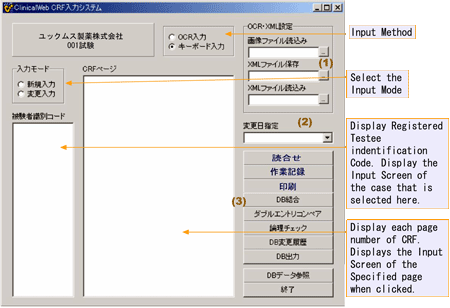 |
| |
Above Screen in
Japanese only |
| |
| OCR/XML Settings |
| |
·Select an image file in the image
file read location. |
| |
·Select an xml file in the XML
file save location. |
| |
·Save as xml file in the XML file
read location. |
| |
|
| Date Change Specifications |
| |
·Display the data of any specified
date from the change date list.. |
| |
·The date is listed in the history
of changes. |
| |
·Latest data of the specified date
(data after changes) appears.. |
| |
|
| Others |
| |
·Rehearsing |
| |
After data input is complete,
in the CRF page input order, for example, it is possible to
listen to the audio in IBM Via-Voice etc. |
| |
·Operation Records |
| |
The record of operations from system
start-up to exit appears. |
| |
·Print |
| |
For CRF input of each case,
any or all pages can be printed in hand-written CRF format. |
| |
·DB Combination |
| |
To be used to combine many
entered DBs. |
 |













